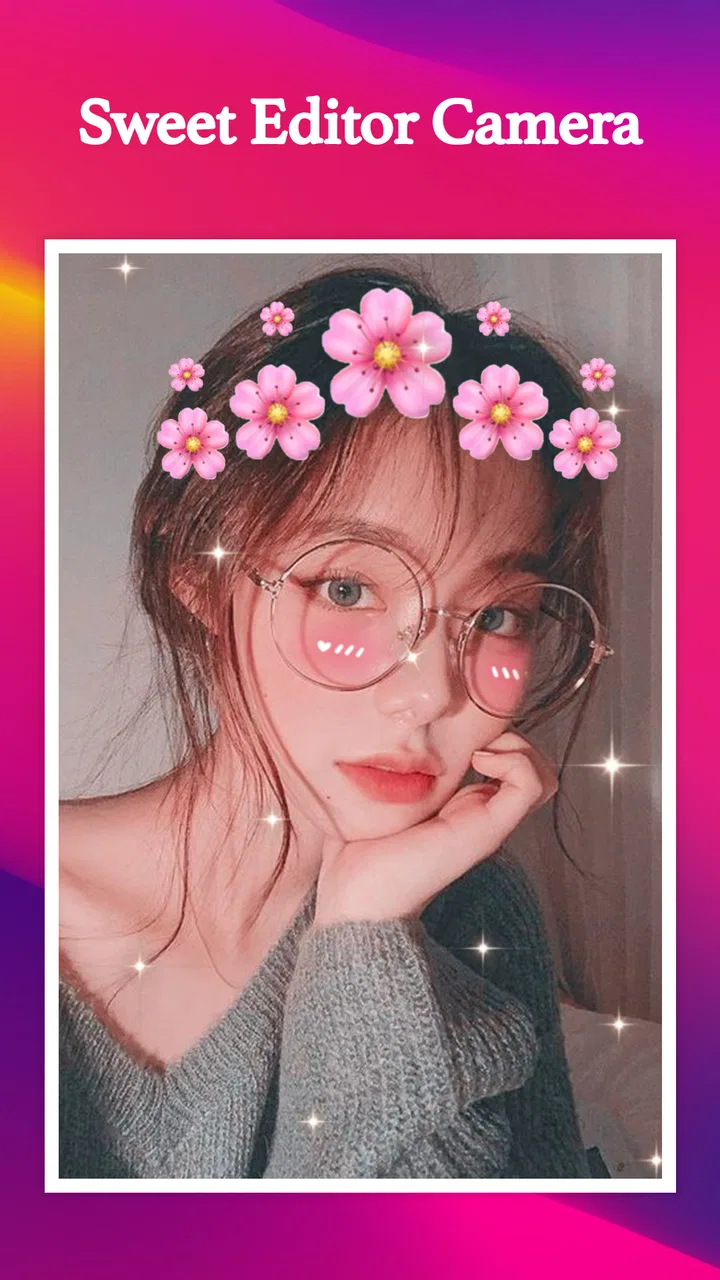
Sweet Editor Camera Lite
- 4.7
- Rating
- 5.00M
- Installs
- Free
- Price

 Analysis by App-foxy
I spent time with Sweet Editor Camera Lite as a beauty app, focusing not only on its selfie tools but also on how comfortably different people can use it in everyday situations. The app is built around taking or editing self-portraits with filters and stickers, so its appeal is immediate: open the camera, choose a look, and create something ready to share. My overall impression is that it is approachable for casual visual editing, although the experience is more dependent on touch, visual recognition, and a reasonably steady phone than some users may expect.
Developed by GeniusTools Labs, the app is free to install and is aimed at everyone from a content-conscious teenager to someone who simply wants a softer, more playful selfie for a message. It has reached over one million installs and holds a 4.8 average from around fourteen thousand ratings, which suggests that its central idea is landing well with a broad audience. I would still treat those numbers as a sign of popularity rather than proof that every user will find the interface equally comfortable.
How the interface feels to read and navigate
The first thing I noticed is that Sweet Editor Camera Lite makes sense as a camera-first tool. You are not asked to learn a complicated editing workflow before seeing the point of the app. The main task is familiar: frame your face, select a visual effect, and decide whether the result is worth keeping. That direct structure is useful for people who do not want a full photo editor with layers, timelines, or a long list of technical controls.
You May Also Like

 AccuWeather: Weather Radar
AccuWeather Review: A Quick, Clear Forecast for Everyday Decisions
For everyday plans, the best forecast is the one you can understand quickly. AccuWeather makes rain timing, radar, and local conditions easy to act on, with a few trade-offs.

 Hill Climb Racing
Why Hill Climb Racing Still Turns Crashes Into One More Run
A tiny car, a bumpy hill and one more upgrade: Hill Climb Racing keeps resurfacing because its simple chaos makes every near-miss feel personal.

 AliExpress - Shopping App
AliExpress Makes Global Shopping Feel Personal, but Shoppers Bear the Risk
AliExpress turns a global marketplace into a pocket-sized discovery engine. Its reach is useful, its shopping loop compelling, and its trade-offs easy to miss.

 Lords Mobile: Kingdom Wars
Lords Mobile Is a Kingdom-Building Routine, Not a Quick Match
A case-by-case verdict on the building, battles, device demands, and social commitments that make Lords Mobile rewarding for some players and exhausting for others.

 PDF Scanner app - TapScanner
TapScanner Makes Paperwork Easier to Capture, Check, and Share
TapScanner makes scanning with a phone feel less like a rescue operation and more like a dependable step in getting work done. Its capture tools are useful, though not flawless.

 Block Blast!
 Shows How Much a Puzzle Game Can Leave Out
A quiet grid game shows why puzzle players increasingly value instant clarity, repeatable skill and low-pressure play—and where the genre still needs to catch up.
More From Our News Desk
View All News


For a new user, the strongest part of the design is the visual nature of the choices. Filters and stickers are easier to understand when they are represented by previews rather than buried in text menus. I found that this reduces the amount of reading needed to get started. Someone who is not comfortable with photography vocabulary can experiment by looking at the result instead of trying to understand terms such as exposure, white balance, or retouching intensity.
That simplicity also creates a trade-off. A visual interface can be quick for one person and difficult for another. If small icons, subtle labels, or low-contrast controls are hard to distinguish, the app may require more trial and error than a text-led editor. The experience is particularly dependent on being able to identify which thumbnail is active and whether a change has actually been applied. I recommend taking a moment to compare the face before and after an effect rather than assuming that every tap has produced a useful improvement.
The app’s short description calls it “Sweet Editor,” but I found it more helpful to think of it as a lightweight selfie camera with editing elements rather than a replacement for a complete photo studio. That expectation matters. If you want to make a quick image for a chat, the focused layout is an advantage. If you want precise adjustments, detailed captions, or a carefully organized library of finished work, the limited, playful approach may feel too narrow.
New effects are part of the attraction, with live stickers and face filters promoted as arriving every week. In practice, that kind of rotating visual content can keep the app from feeling stale. It also means the interface may feel less predictable over time: a favorite option can move, disappear from the first view, or be joined by enough new choices that browsing takes longer. For users who rely on a consistent routine, a changing collection is convenient only when the basic controls remain easy to find.
I also think the app is best approached with a simple personal workflow. I would open it, choose the lighting and framing first, then test one filter at a time before adding a sticker. Doing everything at once makes it harder to tell which element is helping and which is distracting. This is a small habit, but it makes the visual interface more manageable, especially for anyone who finds crowded screens tiring.
Reading effort and visual decision-making
Because the main output is visual, the app naturally asks users to judge faces, colors, outlines, and movement. That can be enjoyable for people who prefer learning by seeing. It is less comfortable for anyone who needs large, high-contrast text or a clearly spoken explanation of each control. I would not choose it as my first option for a user who depends heavily on a screen reader or who cannot easily distinguish small preview images.
At the same time, the absence of a technical editing vocabulary is a genuine benefit. A person with limited experience can understand “this makes the image warmer” by looking at the preview, even if they would not know how to make that adjustment manually. This makes the app less intimidating than a traditional editor. It is a good example of visual simplicity helping one group while leaving another group with fewer explicit cues.
Touch control, movement, and sensory comfort
Selfie apps are naturally touch-heavy. You need to hold a phone, position it, tap a filter, and often make quick choices while looking at your own image. For users with limited fine-motor control, tremors, joint pain, or difficulty maintaining a steady grip, that sequence can be frustrating. A shaky hand can change the framing, and an accidental tap can select an unwanted effect. I would use a stable surface, a phone stand, or a second hand whenever possible.
A practical workaround is to prepare the scene before opening the effect browser. Sit near a reliable light source, place the phone at a comfortable height, and keep the number of changes small. This reduces the need for repeated taps and repositioning. It also helps users who become fatigued by holding a device at arm’s length. The app is more comfortable when the physical setup does some of the work.
People who are sensitive to visual clutter may want to be selective with stickers. Decorative elements can make a selfie feel expressive, but several moving or high-contrast overlays can compete with the face and make the preview harder to interpret. I prefer adding one clear element and checking the image before adding anything else. That approach also produces a more natural result than stacking every available decoration.
For users with photosensitivity or discomfort caused by animated visual effects, I would be cautious with live filters and rapidly changing previews. I cannot treat every effect as equally comfortable, so the sensible approach is to stop using a particular option as soon as it causes eye strain, dizziness, or discomfort. The app’s appeal comes from experimentation, but no filter is worth pushing through a bad physical reaction.
Older phones and less powerful devices can also affect comfort, even when the app itself remains usable. Live face effects require the screen to update while the camera is active, and any delay can make the controls feel less precise. The current version is 4.0.0 and supports devices running Android 8.0 or later. That gives it a reasonably broad starting point, but operating-system compatibility alone does not guarantee that every phone will handle live effects with the same smoothness.
Using it in different real-life situations
The most realistic use case for me is a quick social moment. Imagine meeting friends before dinner, finding a bright wall near a window, and wanting a playful group selfie for a private chat. Sweet Editor Camera Lite fits that situation because the decision is immediate: test a face filter, add a light sticker, take the picture, and move on. Nobody needs to become an editor, and the result can feel more personal than an untouched camera shot.
It can also suit someone who wants low-pressure practice before posting a picture. I would take several versions with different levels of decoration, then compare them later rather than making a decision while friends are waiting. This is especially useful for people who are self-conscious about selfies: the app turns the process into experimentation instead of demanding one perfect image on the first attempt.
Situational access becomes more difficult in poor lighting, on public transport, or in a busy room. A face filter may be fun, but the user still has to see the preview clearly, hold the phone securely, and avoid accidental taps. In a dim environment, the screen and camera preview may be harder to judge. In a crowded place, a complex sticker choice can take attention away from the surroundings. I would use the app in a calm, well-lit location rather than while walking or multitasking.
It is also worth considering privacy in shared spaces. A beauty camera encourages users to point a phone at faces, and group photos can include people who did not intend to appear. I would ask before applying a filter to someone else’s image or sharing a group result. That is not a special setting in the app; it is simply responsible use of a camera tool.
For a child or younger user, the Everyone age rating makes the app broadly approachable, but adult guidance can still be useful. The creative features are easy to understand, while purchases may require attention. The app is free, yet it includes in-app purchases ranging from $0.99 to $99.99 per item. I would check the purchase flow carefully and use device-level purchase controls if the phone is shared with a child. “Free” describes the starting cost, not every possible item inside the experience.
Where the app still creates barriers
The biggest barrier is that the experience assumes visual access to the camera preview and touch access to small on-screen choices. People who navigate primarily through audio, use alternative input devices, or need strong interface customization may find the app less suitable than a more accessibility-focused camera. I would not recommend it blindly to someone who cannot comfortably inspect a live image or distinguish controls by sight.
Another limitation is the gap between playful editing and precise editing. The app is good at helping me decide whether a selfie feels cute, bright, or amusing. It is not the tool I reach for when I need exact cropping, careful color correction, detailed blemish work, or a repeatable professional look. A conventional photo editor is a better choice for those tasks, even if it takes longer to learn.
There is also a social barrier for users who dislike beauty filters. Face effects can change the way a person looks, and some users may prefer tools that preserve natural features rather than stylize them. Sweet Editor Camera Lite makes sense when the goal is expression and play. It is less appropriate when authenticity, accurate skin tone, or faithful documentation matters more than decoration.
The weekly flow of new stickers and filters is another mixed point. It gives regular users something fresh to explore, but it can encourage browsing instead of creating. If you are easily overwhelmed by too many choices, I suggest choosing a small personal set of effects and ignoring the rest. The app becomes much calmer when you treat its catalog as optional inspiration rather than a checklist.
Compared with a phone’s standard camera, this app offers a more immediate creative layer, but the standard camera is usually better when you want predictable controls and a clean original image. Compared with a full beauty editor, Sweet Editor Camera Lite is quicker and less technical, but it gives up depth. Compared with social media camera tools, its appeal is that the selfie process is the main event rather than one small feature among many social functions. The right choice depends on whether speed, precision, or sharing convenience matters most to you.
Who I would recommend it to
I would recommend it to casual selfie users who enjoy trying new visual styles without studying a complicated editor. It is also a good fit for someone who wants a quick creative activity with friends, a playful image for messaging, or a simple way to test how stickers change the mood of a portrait. The free entry point makes experimentation easy, provided you remain aware of optional purchases.
I would be more cautious recommending it to users with significant motor limitations, severe visual fatigue, strong sensitivity to animated effects, or a need for detailed accessibility controls. That does not mean they cannot use it; it means the app’s camera-and-touch design may demand workarounds. A simpler camera with larger controls, voice support, or a more configurable editor could be a better starting point.
My most useful tip is to separate capture from decoration. First find a comfortable position and take a plain version. Then try a filter, compare the result, and add only the sticker that supports the expression you want. This workflow reduces clutter, prevents accidental over-editing, and makes it easier to return to a natural-looking image if the effect becomes too strong.
Another tip is to treat the app as a quick draft tool when the final image matters. I would use it to explore a mood, then switch to a standard editor if I needed exact framing or more controlled finishing. That combination gives me the speed of a live selfie filter without asking one app to handle every stage of the process.
My inclusive verdict
Sweet Editor Camera Lite succeeds because it keeps the central idea friendly: point the camera, try a look, and make a selfie feel different. In my experience, the visual previews and lightweight approach are more inviting than a technical beauty editor, and the continuing stream of stickers and filters gives regular users a reason to return. GeniusTools Labs has made an app that is easy to understand when your main goal is casual visual creativity.
Its inclusiveness has clear limits. The app works best for people who can see small visual choices, operate a touchscreen with reasonable accuracy, and tolerate live camera effects. Lighting, hand stability, visual clutter, and purchase awareness all affect the experience. Those are not reasons to dismiss it, but they are important considerations for anyone choosing an app around different abilities or daily circumstances.
With an average rating of 4.8 from roughly fourteen thousand ratings, it is clearly resonating with many users. I see why: it is free to start, suitable for everyone by its age classification, and much less demanding than a full photo editor. I would choose it for playful selfies and quick social images, but not for accessible, precision-focused editing or situations where a natural, untouched photo is the priority.
My bottom line is simple: choose it when easy visual experimentation matters more than control. Set up the phone securely, use effects one at a time, watch for sensory discomfort, and keep an eye on optional purchases. Used that way, Sweet Editor Camera Lite is a cheerful beauty app with a clear everyday purpose, even though users who need stronger navigation flexibility or more exact editing will probably be happier with another kind of camera tool.
FAQs for Sweet Editor Camera Lite
01What features does Sweet Editor Camera Lite offer?
Sweet Editor Camera Lite provides a range of photo editing tools, including filters, stickers, and text options. It also features beauty enhancements like skin smoothing and eye brightening, alongside basic editing tools such as cropping and rotating. The app is designed to be user-friendly, ideal for quick edits on the go.
02Is Sweet Editor Camera Lite free to use?
Yes, Sweet Editor Camera Lite is free to download and use. However, it may offer in-app purchases for additional features or to remove ads. Users can enjoy most of the basic editing tools without spending money, but premium options may enhance the editing experience.
03Does Sweet Editor Camera Lite have a social sharing feature?
Absolutely! Sweet Editor Camera Lite includes built-in social media sharing capabilities. After editing, you can directly share your photos to platforms like Instagram, Facebook, and Twitter. This makes it convenient to show off your creations without leaving the app.
04Is Sweet Editor Camera Lite suitable for professional photo editing?
While Sweet Editor Camera Lite is great for casual editing and social media posts, it might not meet the needs of professional photographers. It lacks complex features found in software like Adobe Photoshop. However, it's perfect for users looking for quick and fun edits with a variety of filters and effects.
05How does Sweet Editor Camera Lite handle user privacy?
Sweet Editor Camera Lite is committed to user privacy. It requires basic permissions to access your camera and photos, but it does not store or share your data without consent. Always review the privacy policy and terms of service to understand how your information is handled before downloading.
Pros
- User-friendly interface with intuitive controls.
- Wide range of filters for creative editing.
- Lightweight app
- saves device storage.
- Supports high-resolution photo exports.
- Regular updates with new features.
Cons
- Limited free features
- in-app purchases needed.
- Occasional ads can interrupt editing.
- Some filters require internet access.
- No advanced editing tools for professionals.
- Limited social media integration options.

Sweet Editor Camera Lite
Gallery